Configuring Cloud Architecture Mode (WebSocket Tunnel)
This option configures the OVOC server in a cloud topology. When configured, a "secure tunnel“ overlay network” is established between the connected devices and the OVOC server. This connection is secured over a WebSocket connection. The Tunnel Status indicates the status for all sub-processes running for this architecture.
| ➢ | To setup cloud architecture: |
| 1. | From the Network Configuration menu, choose Cloud Architecture. |
Cloud Architecture
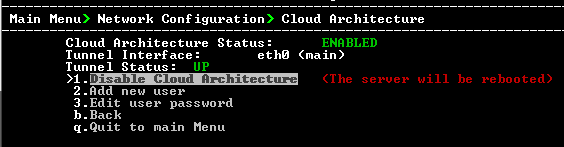
| 2. | Select option Enable Cloud Architecture. |
| 3. | Select the IPv4 interface for which to enable this mode and then press Enter. |
Choose IP Interface
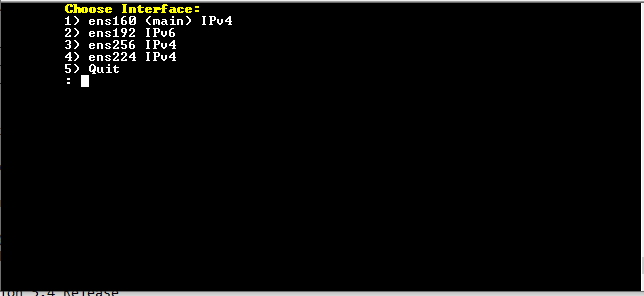
The OVOC server is restarted.
When this option is configured, the NAT configuration option is disabled.